The post How to Use Sensors In RGB Mode appeared first on International Robotics Championship.
]]>The original EV3 color sensor supports reflected light, ambient light and color mode, but this does not meet our needs. David Gilday, who made mindcuber, created the EV3 Color RGB mode in the early days, which greatly improved the EV3 Color Sensor.
Original Digital Flipped Lab (OFDL) have added other functions, including the RGB comparison mode and the raw value mode.
You can download the block from here: https://github.com/a10036gt/EV3-ColorRGBEnhanced-Block/releases/

How it works
The block has 3 different modes which will help you use sensors in enhanced way:
Measure – RGB color
This mode returns the Red, Green and Blue components of the RGB color.
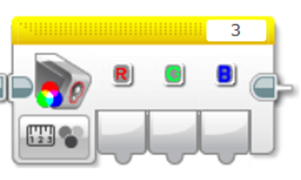
Compare – RGB color
This mode is a variant of RGB mode, which allows you to change the input value to achieve the judgment effect, as shown above: 20 is Error Amount, R, G, B are 170, 160, 120, respectively.
The object reads Red to 150-190, Green at 140-180, and Blue at 100-140. When the three are established, the Boolean value is finally output.
The interval is determined by Error Amount, which is what you input. The RGB value +-Error is the judgment condition.

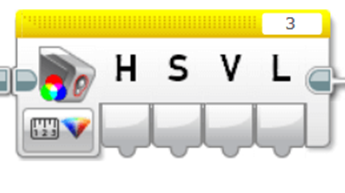
HSVL Mode
This mode allow you reading the HSVL value of EV3 Color sensor (convert from RGB).
Citation:
ODFL Original Digital Flipped Lab
https://ofdl.tw/en/ev3-hacking/ev3-color-sensor-adv-block/Ver 1.6:
.Add HSVL Mode.
.Remove Raw value mode (merge to EV3-AdvEV3Col-Block)
Download
Download Link (GitHub):
Author:OFDL HSU、T2H Robotics
Ver:1.6
The post How to Use Sensors In RGB Mode appeared first on International Robotics Championship.
]]>