The post How to Install Third Party Blocks (like RGB block) In EV3 Mindstorms appeared first on International Robotics Championship.
]]>- If you want to install the classic Mindcub3r block, download ColorSensorRGBzip-v1.00.zip to your computer.
- If you want to install the enhanced RGB block from ODFL, download this block on your computer.
On a computer running Windows, find the file in Windows Explorer, click with the right mouse button and select Extract all…
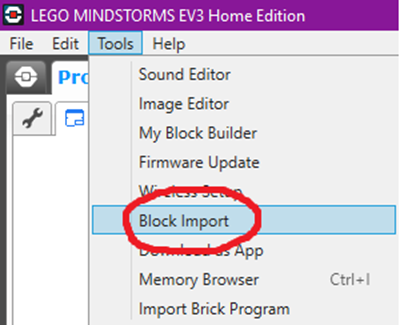
- In the Block Import and Export dialog, select Browse.
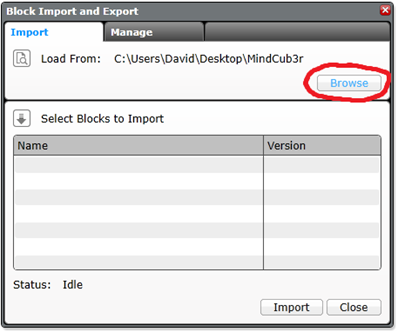
- Find the file, which has .ev3b extension on your computer and Open it.

- Select the .ev3b file from Select Blocks to Import and then select Import.

- To complete the installation, close the dialogs and exit from LEGO MINDSTORMS EV3 software.
Source:
How to build MindCub3r for LEGO MINDSTORMS EV3: http://mindcuber.com/mindcub3r/mindcub3r.html
The post How to Install Third Party Blocks (like RGB block) In EV3 Mindstorms appeared first on International Robotics Championship.
]]>The post How to Use Sensors In RGB Mode appeared first on International Robotics Championship.
]]>The original EV3 color sensor supports reflected light, ambient light and color mode, but this does not meet our needs. David Gilday, who made mindcuber, created the EV3 Color RGB mode in the early days, which greatly improved the EV3 Color Sensor.
Original Digital Flipped Lab (OFDL) have added other functions, including the RGB comparison mode and the raw value mode.
You can download the block from here: https://github.com/a10036gt/EV3-ColorRGBEnhanced-Block/releases/

How it works
The block has 3 different modes which will help you use sensors in enhanced way:
Measure – RGB color
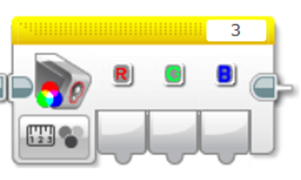
This mode returns the Red, Green and Blue components of the RGB color.
Compare – RGB color
This mode is a variant of RGB mode, which allows you to change the input value to achieve the judgment effect, as shown above: 20 is Error Amount, R, G, B are 170, 160, 120, respectively.
The object reads Red to 150-190, Green at 140-180, and Blue at 100-140. When the three are established, the Boolean value is finally output.
The interval is determined by Error Amount, which is what you input. The RGB value +-Error is the judgment condition.

HSVL Mode
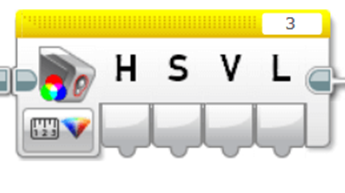
This mode allow you reading the HSVL value of EV3 Color sensor (convert from RGB).
Citation:
ODFL Original Digital Flipped Lab
https://ofdl.tw/en/ev3-hacking/ev3-color-sensor-adv-block/Ver 1.6:
.Add HSVL Mode.
.Remove Raw value mode (merge to EV3-AdvEV3Col-Block)
Download
Download Link (GitHub):
Author:OFDL HSU、T2H Robotics
Ver:1.6
The post How to Use Sensors In RGB Mode appeared first on International Robotics Championship.
]]>The post How to Solve Complex Tasks appeared first on International Robotics Championship.
]]>What is the Goal Breakdown Structure?
If you search on the internet, you will find various definitions, some complicated, some simple to understand. In case of robotics missions as you are given in our competition, you can translate it into breaking the big task into multiple, simpler tasks, which are or are not related between each other.
This kind of practical thinking is something that us, humans, do all the time. For example, when we go to school, we need to do some simple tasks in the process:
- get dressed:
- check weather first;
- get proper clothing;
- fill our schoolbag with whatever we need and equip it;
- make sure we close our house door;
- take the bus:
- find a seat on the bus;
- check we have everything we need to proceed;
- get to class:
- make sure you know to which class you are heading;
- put your stuff in the locker;
- keep only the necessary stuff for the class.
As you can see, there are little goals you need to achieve and have certain subgoals which will finish the main goal. But every each one of them is simple, easy to understand and has little instructions in the process.
Now that you understood this, let’s go back to robotics  . We will use the mission from stage 3 as an example.
How to breakdown a robotics mission
Understand needed principles
First of all, you need to look at the whole mission and identify what principles apply for it. Let’s have a look at it.
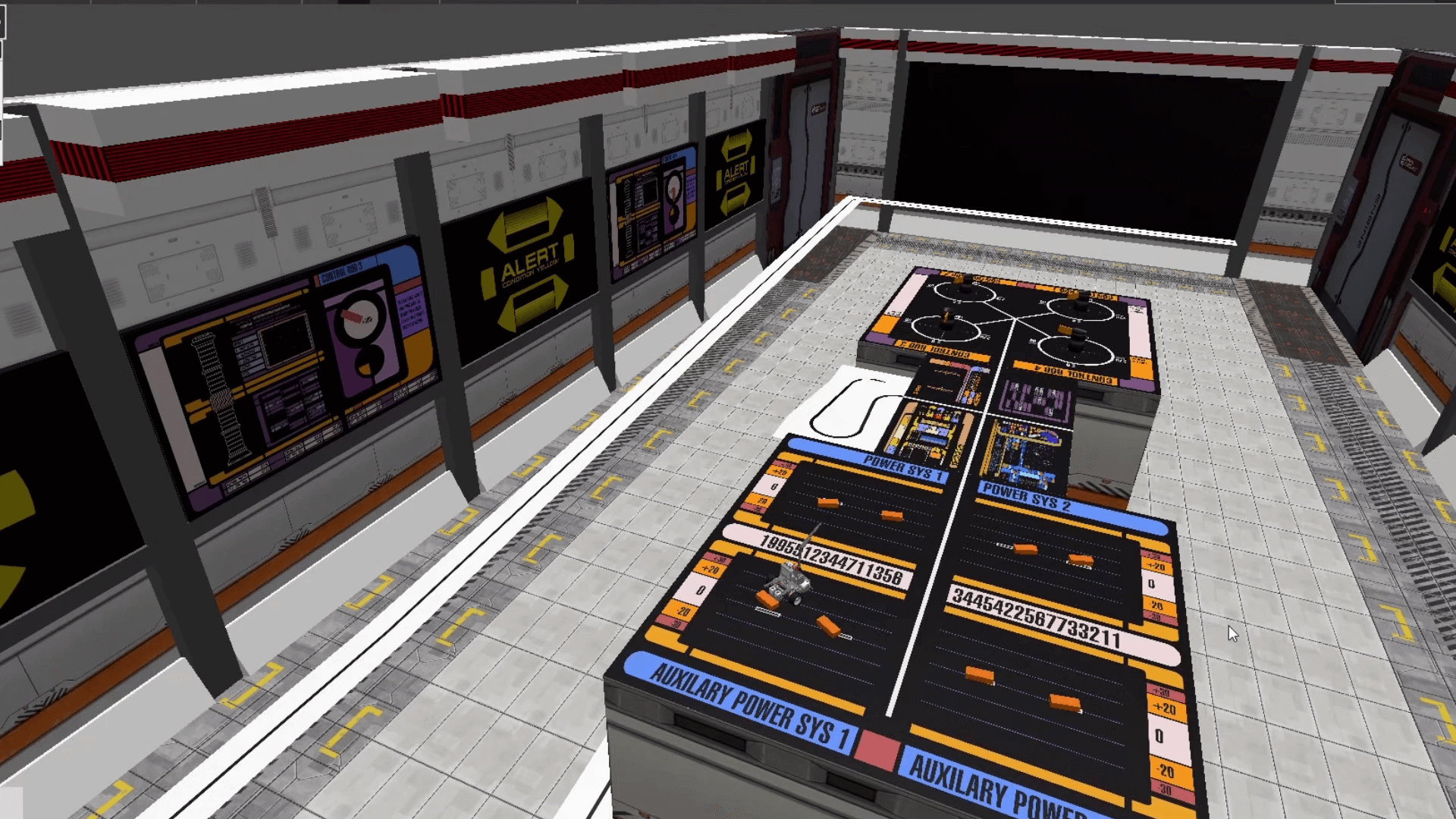
You can see certain elements which are obvious: we have black lines on white background, white lines on black background and maybe some orange lines on black background. Then, there are some blocks which needs to be pushed and some rotating devices on the other side of the table.
So, the principles involved are:
- classic line follower (following black line);
- inverted line follower (following white line);
- color line follower (following orange line);
- push regulated objects (you can push the orange blocks and also the rotating devices).
These are also the simple tasks the robot has to perform.
As you can see, these are basic functions, which need some skills of programming and designing the robot, but it is not something new or unique. I am sure you have done this a couple of times before .
Ok, you understood this part. What now? Well, we need to design the robot which can carry out these simple tasks.
Designing the robot
Robot design is very important as many of the simple tasks will be solved by the construction itself. Think how you will push the object so that the robot should just move forward, without the need of having additional claw or mechanisms. The simpler the design, the more effective!
Then, you need to think what programming algorithms you know and how that influences the design. For example, you know how to implement the classic line follower with only one sensor? Good for you! Now where do you put that one sensor so that the robot can move quick and correct?
You need to ask yourself all these questions before starting the design. Maybe you will not get it right at first, because after testing you will see you will need some more stuff. That’s alright, it will surely happen. But, if you are giving it some thoughts before the first iteration, maybe you will not need to make so many of them afterwards.
After you feel the design is ready, you need to create some basic functions so that you will simplify how you will right the code. In most cases, the functions are custom blocks.
Creating basic custom blocks / functions for the robot
This will certainly help you simplify your code. Let’s say you need to create a line follower block. You should create one which will have some parameters, like speed or turn correction. Why? Because in some cases you will want to move faster, in others you will want to move more precise.
For the given example, you can see that if you implement a classic line follower algorithm, which stops whenever intersects a black line, the robot will travel from the start all the way up to the table. Simple, right?
So, the main program will just have one block for line follower instead of 10 blocks for just one path to be followed. It will be much more quicker to go through the code when you will want to make adjustments and will save you lots of time.
Also, if there is a problem in the line follower algorithm, you will need to correct it in just one place instead of many others.
Conclusion
This is just a basic method to solve complex missions for every competition, not just this one. Of course, you should not exaggerate and think of every action as a goal, but little by little you should start to gain progress.
Remember this little thing: whatever you need to solve was created by a human, so there is a solution to it. And most probably, he created the mission in the same way you want to solve it: step by step .
The post How to Solve Complex Tasks appeared first on International Robotics Championship.
]]>The post Calculating Velocity of Lego EV3 Large Motor in a Projectile Motion appeared first on International Robotics Championship.
]]>The EV3 Large Servo Motor is a powerful motor that uses tacho feedback for precise control to within one degree of accuracy.
By using the built-in rotation sensor, the intelligent motor can be made to align with other motors on the robot so that it can drive in a straight line at the same speed. It can also be used to give an accurate reading for experiments.
The motor case design also makes it easy to assemble gear trains.

Specifications:
- Tacho feedback to one degree of accuracy;
- 160-170 rpm;
- Running torque of 20 N/cm (approximately 30 oz/in.);
- Stall torque of 40 N/cm (approximately 60 oz/in.);
- Auto-ID is built into the EV3 Software.
Combining knowledge from projectile and getting the velocity of the rotating body such as EV3 large motor can lessen your trial and error with your robot.
Using the formula of V = 2 .rN or
DN
- V – velocity of the body rotating m/s
- r – radius of rotation
- D – diameter of rotation
- N – no. of rotation/revolution per minute
Sample
A 50g Blue ball will be thrown in a plain field with an angle of 45 degrees. Using the large motor with a 170rpm (max) how far will it go if the throwing arm has a length of 100mm.
Using the formula above in getting the initial velocity that will be applied to the Ball
V = 2 (3.14)*(0.1m)(170rev/min)
V = 106.8 m/min
V= 1.78 m/s
Using this V as the initial velocity of the object in projectile motion, we can get the maximum distance it can reach using the formula
R = V2 x sin2(Ø) / g
R = (1.78m/s)2 x sin2(45)/9.81m/s2
R = 0.507m
Note that If we decrease the value of rotation of the large motor, we also decrease the peripheral velocity of the object and shorten the distance it will travel.
The post Calculating Velocity of Lego EV3 Large Motor in a Projectile Motion appeared first on International Robotics Championship.
]]>The post What is A Catapult and How Does It Work? appeared first on International Robotics Championship.
]]>A catapult is a ballistic device used to launch a projectile a great distance without the aid of gunpowder or other propellants.
A catapult uses the sudden release of stored potential energy to propel its payload.

Parts of a Catapult
- Bucket – a container use to hold the payload prior to release;
- Payload – the object that will be discharge in projectile motion;
- Arm – holds the Bucket that has a pivot connection at the base;
- Base and Frame – Supports the Catapult’s weight and action;
- Rope – stores potential energy by stretching or winding up while it is attached directly or indirectly to the arm;
- Restraining Rope – it serves as the trigger of the catapult once release;
- Counterweight – used in other type of catapult. Stores potential energy by setting it in a higher elevation and drop it once the restraining rope is released.
Energies involved in the catapult’s mechanism
There are three primary energy storage mechanism used in a catapult.
- Tension – is built by stretching the rope up to the maximum limit. When it is stretched, the potential energy stores in the rope, parallel to the direction of how it is stretched.
- Torsion -is built in the pivot point of the arm. the more you twist the rope, the greater energy you stored tangent to the center of rotation.
- Gravity – counterweight is one type of storing the potential energy by pulling a heavy object against the gravitational force.
Once the Payload is released in the Catapult, it will create a projectile motion towards the direction it is positioned.
Effect of Velocity in a Projectile Motion
Velocity is the distance travelled of an object over time. In a projectile motion, it affects the distance travelled of an object. The higher the velocity, the farther it can reach at the same angle.
To show you the effect, in image 2, we have a cannonball weighing 20kg that is shot at an angle of 45 degrees.


Effect of Angle in a Projectile Motion
Angle affects how far and how high the object will go in a projectile motion.
Using the simplified formula: R = (Vo2sin2Ø)/g
- R – Range
- Vo – Initial Velocity of the Object
- Ø – Angle of discharge in a projectile motion
- G – Gravitational force
We can compute for the maximum distance traveled.
Here are the samples images with same object and initial velocity but differs in the angle.

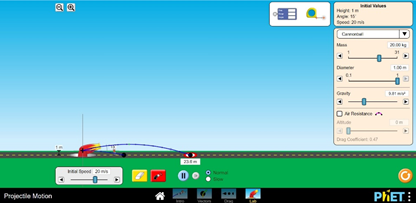
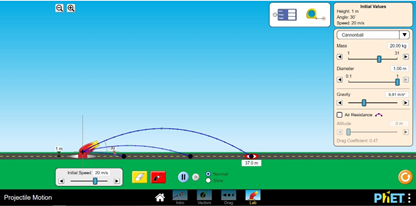
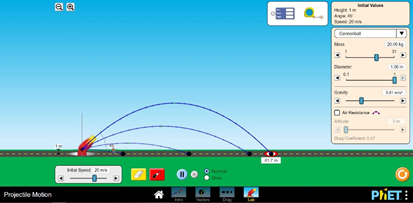
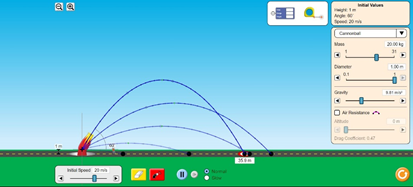
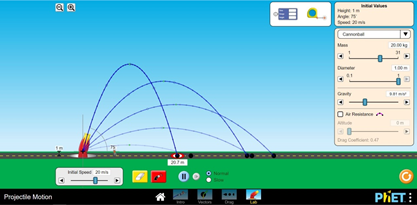

Do you see the changes in distance and height travelled by the cannonball at different angles?
At 45 Degrees, the vertical and horizontal forces are equal giving the cannonball the farthest distance it can reach at a given velocity and gravitational force.
While at 90 degrees, the cannonball can attain the maximum elevation it can reach at a same velocity and gravitational force
Effect of Gravity in a Projectile Motion
Every planet has its own gravitational pull. Here on earth, our gravitational pull is 9.807m/s2, while on the moon it is 1.62m/s2. This force is pulling the object towards the center of the planet. In a projectile motion, it affects the time an object will hit the ground, the distance it will travel, and the maximum height it can achieve.
In image No. 9, it shows changing the value of gravity in a 20kg cannonball that fires at 20m/s velocity at 45-degree angle.


The lower the gravitational pull, the farther the object can travel at a given instance.
You may also check https://phet.colorado.edu/sims/html/projectile-motion/latest/projectile-motion_en.html for you to explore more about projectile motion by varying the gravitational force and including Air resistance of the object.
The post What is A Catapult and How Does It Work? appeared first on International Robotics Championship.
]]>